Forscan for 2022

I was reading through some of the "what have you done to your tremor today" forums and i came across someone who activated the runnings lights with their DRLs. Is this still something we can do with the 2022s? Would it be in the plain english section? Looking to have the mirrors and taillights on during the day (my f150 did this and it also keeps my trailers running lights on during the day as well).

Thanks!
I did this on my 2022 a few months ago. You would go to the BCM module that does not say "As Built," and in plain English, it says "DRL include parking lamps." You'll just click on it and then edit it to say Enable. Then run the module and follow the directions for cutting your truck off then back on.
 
I did this on my 2022 a few months ago. You would go to the BCM module that does not say "As Built," and in plain English, it says "DRL include parking lamps." You'll just click on it and then edit it to say Enable. Then run the module and follow the directions for cutting your truck off then back on.

This is perfect for my trailer to keep the rear view camera on for me. Currently, I have to manually turn on my truck's lights for the trailer lights to come on, which the trailer camera is powered by.

Thanks!
 
how do i do a soft reset of the apim ?
You hold down the radio power button and the forward seek buttons at the same time till the screen goes black.
 
I did this on my 2022 a few months ago. You would go to the BCM module that does not say "As Built," and in plain English, it says "DRL include parking lamps." You'll just click on it and then edit it to say Enable. Then run the module and follow the directions for cutting your truck off then back on.
Does this also cause the roof marker lights to be on?
 
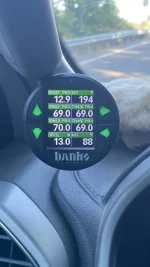
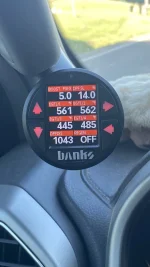
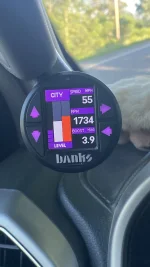
Greetings, I've done a ton of research on mutliple threads and so much great stuff but I'll admit, I get lost between the differences in model years and what works with what year and model, so apologies in advance if this is super basic, but when you put the numbers over the gauges, I do not get oil pressure or boost, so is that normal for the 2022 and done in IPC module configuration (as built)?

And when you use the option of "Add Temp w/o Boost and menus" it appears to add the DEF level with range into the gauge screen but is there actually any way to get the boost gauge back or is it in the menu options as a stand alone?

And if you add the DPF% on screen, is there a way to add that to the gauge display or does it just live in the menu options?

Hoping this makes sense, but as I keep reading on all the crazy things that can be done and that are discovered daily it seems, I figured I gotta ask.

2022 6.7 Lariat

Thanks as always.
 
Greetings, I've done a ton of research on mutliple threads and so much great stuff but I'll admit, I get lost between the differences in model years and what works with what year and model, so apologies in advance if this is super basic, but when you put the numbers over the gauges, I do not get oil pressure or boost, so is that normal for the 2022 and done in IPC module configuration (as built)?

And when you use the option of "Add Temp w/o Boost and menus" it appears to add the DEF level with range into the gauge screen but is there actually any way to get the boost gauge back or is it in the menu options as a stand alone?

And if you add the DPF% on screen, is there a way to add that to the gauge display or does it just live in the menu options?

Hoping this makes sense, but as I keep reading on all the crazy things that can be done and that are discovered daily it seems, I figured I gotta ask.

2022 6.7 Lariat

Thanks as always.
@PDQ
That’s the way it is
No number above oil pressure. (Glorified idiot light)
W/o boost it jumps to DEF. The config w/ numbers and boost allows to you select and maintain what gauge you want there.

DPF% can not be displayed in the top row.
One of the reasons I got an iDash

Hope this helps

ZooDad
 

Attachments

  • IMG_5388.webp
    IMG_5388.webp
    93 KB · Views: 74
  • IMG_5389.webp
    IMG_5389.webp
    75.6 KB · Views: 70
  • IMG_5390.webp
    IMG_5390.webp
    84 KB · Views: 74
@PDQ
That’s the way it is
No number above oil pressure. (Glorified idiot light)
W/o boost it jumps to DEF. The config w/ numbers and boost allows to you select and maintain what gauge you want there.

DPF% can not be displayed in the top row.
One of the reasons I got an iDash

Hope this helps

ZooDad
@PDQ I'll add that with a 6.7 you can choose to display boost or trans temp but not both.
 
Has anyone had success in changing the tire size to 37's following the process outlined on the Forscan website? I tried and it would not re-learn the modules after the mm change without generating a DTC code and CEL. put it back to OEM and it all normal...pulling my hair out... the calculation for 37's used was 2951mm the OEM was 2779.
This is the change i want to make as well. I am having a really hard time finding out how to do it.
 
For completeness sack, I'm copy and paste this in this tread as well since people might just look here. (not trying to duplicate this information but duplicate threads call for duplicate posts)

Always remember to save a copy of the As Built module before changing anything and I recommend making notes of what you change.

Here are the plain english changes that I made, the setting column below is what it is listed as in said module.

ModuleSettingOriginalNew
BdyCM – Plain EnglishDouble Honk on Leaving CabineEnabledDisabled
BdyCM – Plain EnglishTPM - Placard Front, psi6050
BdyCM – Plain EnglishTPM - Placard Rear, psi7060
BdyCM – Plain EnglishUsing Front Fog with High BeamInhibitedAllowed
IPC – Plain EnglishChimes - Vehicle running with door openAutomatic TransmissionDisabled
IPC – Plain EnglishAverage Speed DisplayDisabledEnabled

Here are changes I made in the as built setting, bold and underlined numbers/letters are only ones that need to change, your original as built could be different depending on truck options. (Last two may be different for others and just checksum that will auto calculate). FYI, My truck is a MY22 7.3, these may or maynot be different for others.

ModuleSettingOriginalNew
IPC - 720-07-01Digital Temps above Gauge8409-0AA0-086E8409-0A50-081E
IPC – 720-01-02Disable Triple Ding at start up221B-50B7221B-52B9
APIM – 7D0-03-01Nav in Motion5553-0203-038B5753-0203-038D
SCCM – 724-01-01Turn Signal Flash Count increase to 7002C-4628-C7002C-4E28-CF
I was able to change my turn signals in the SCCM - Plain English
 
Tackled a bunch of changes in Forscan today but had a weird issue come up when I initiated the scan of the truck - the APIM module was not visible. I searched here and elsewhere for a solution and never found anything specifically addressing this but did see a clue about Forscan settings that could have been the issue.

In short, the resolution was to turn connection type to COM in the connection settings on Forscan - everything else set to auto. Hope this helps someone down the road.

2022 F250 6.7L
 
Last edited:
Tackled a bunch of changes in Forscan today but had a weird issue come up when I initiated the scan of the truck - the APIM module was not visible. I searched here and elsewhere for a solution but never found anything but did see a clue about Forscan settings that may have been the issue.

In short, the resolution was to turn connection type to COM in the connection settings on Forscan - everything else set to auto. Hope this helps someone down the road.
What model year truck?
 
Back
Top Bottom