Forscan for 2022

The map pops up when you hit the navigation. That message pops up any time you want to put in an address or to the favorites I had programmed.
Ok, that is what mine does as well... Just wanted to understand what you were seeing.

My guess, having not tried this, is that you would have to turn off all references to the nav which would kill your ability to see the map, too.

The easier path is to just use the map as a map and nothing more.
 
Ok, that is what mine does as well... Just wanted to understand what you were seeing.

My guess, having not tried this, is that you would have to turn off all references to the nav which would kill your ability to see the map, too.

The easier path is to just use the map as a map and nothing more.
Ok. It’s some expensive map 😞. I was hoping to find some option with it even if it wasn’t updated or getting traffic.
 
Is there a way to use the navigation offline, that is without activation?
 
Has anyone had this message pop up when trying to do Forscan for the first time on their 2022? This is as far as it will let me go. I don't have any tuning on the truck and the only modification I've done is the Banks Pedal Monster, which I have already set back to stock.

1678564525947.webp
 
Do you think there will be any possibility of activating trail turn assist on any tremors ‘22 and older?
 
Has anyone had this message pop up when trying to do Forscan for the first time on their 2022? This is as far as it will let me go. I don't have any tuning on the truck and the only modification I've done is the Banks Pedal Monster, which I have already set back to stock.

View attachment 115060
Haven't seen that one before. You may want to do a search on Forscan.org. It may have come up before on there...
 
Do you think there will be any possibility of activating trail turn assist on any tremors ‘22 and older?
Not likely due to the underlying network and electrical architecture upgrades on the new trucks. We have Sync 4 but it doesn't have all the same capability...
 
Haven't seen that one before. You may want to do a search on Forscan.org. It may have come up before on there...
Thanks for the tip @Modman. I posted on the Forscan forum and their moderators said to email the support email address with the issue. They asked for my VIN, which I provided and they sent me a new "test build" to download and run on my PC. Looks like it is FORScanSetup2.3.53.test20230311. Hopefully I can plug in today and make some changes.
 
Question. I have a 2022 F250 and want to flatten the EQ so the bass doesnt fall off since I replaced the speakers. I tried the setting for a F150 but it locked the radio on AM only very strange stuff so I switched it back. Does anyone know what the correct settings are for the 2022 F250's?
 
Not sure if anyone has had problems adding Auto Regen Checkbox.
Use the IPC plain english change along with the PCM plain english menu option for Manual Regen w/Auto Regen inhibit; not sure why the As Built functions/changes do not work. I finally got it to work for my 2022 (11/2022) truck.
 
what is the cheapest laptop I can buy for forscan? or does anyone have a recommendation or link for a laptop they recommend ?
 
I've read some guys spent about $200...just needs to be Windows.
 
I'm the type to sometimes over spend for a "better" option. I wanted a laptop to last over a disposable unit.

If anything make sure you spend good money on the OBD device. I used the cable version OBD Link EX with no issues. Follow the guides and YouTube stuff. Pretty easy all in all.

I created a desktop folder (insert title), downloaded the Ford As Built file to that folder, then using ForScan saved the individual As Built modules. Then created separate folders for As Built modules that I changed.
 
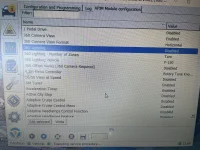
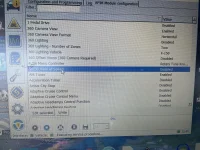
Does anyone know what the 360 lighting is and the 50/50 view at speed is?
 

Attachments

  • IMG_0041.webp
    IMG_0041.webp
    617.3 KB · Views: 66
  • IMG_0042.webp
    IMG_0042.webp
    573.6 KB · Views: 65
  • Like
Reactions: ccw
Does anyone know what the 360 lighting is and the 50/50 view at speed is?
I enabled 50/50 view at speed on my 2022 and it did not seem to add any options to the camera views while at speed. I did not test a whole lot and just ended up changing back to disabled.
 
I enabled 50/50 view at speed on my 2022 and it did not seem to add any options to the camera views while at speed. I did not test a whole lot and just ended up changing back to disabled.
Damn ok. I’m trying to figure out how to see the tail gate camera and 3rd brake light camera at speed and saw that. I wasn’t sure what it did.
 
Back
Top Bottom