Steering Wheel Angle Sensor Calibration

1000008691.webp

I was wondering if anyone had an issue where the steering wheel angle doesn't reset after running the IVD calibration. Everything else seems to reset but that.

I have had an alignment done on the truck, which tracks straight and the steering wheel is center while going down the road.

2026 F-250 with adaptive steering.

I am using the FDRS software.
 
View attachment 272497
I was wondering if anyone had an issue where the steering wheel angle doesn't reset after running the IVD calibration. Everything else seems to reset but that.

I have had an alignment done on the truck, which tracks straight and the steering wheel is center while going down the road.

2026 F-250 with adaptive steering.

I am using the FDRS software.
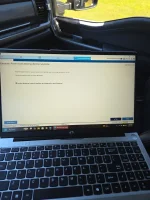
Looking at the FDRS data in the 27189.webp image, the issue stems from the truck being equipped with Adaptive Steering. Your steering pinion angle (STR_PINION_ANG) is perfectly centered at 0.0 degrees, but the steering wheel angle (STR_WHL_ANG - ABS) is reading 21.6 degrees off-center.

Because this F-250 has Adaptive Steering, the steering wheel contains an actuator motor that actively changes the ratio between the physical steering wheel and the steering shaft (pinion). A standard IVD (Interactive Vehicle Dynamics) calibration through the ABS module only resets standard sensors and will not center the adaptive steering actuator. The alignment shop likely set the toe and physically centered the steering wheel while the internal adaptive motor was out of phase.

To resolve this in FDRS, you need to calibrate the specific module controlling the adaptive steering before touching the IVD calibration:

Navigate to your module list in FDRS and select the SECM (Steering Effort Control Module).

Locate and run the Adaptive Steering Initialization (or Calibration) procedure. This commands the internal steering wheel motor to find its true center.

Verify your data again. Once the SECM procedure successfully completes, the STR_WHL_ANG and STR_PINION_ANG values should sync up.

Re-run the standard IVD calibration under the ABS module to finalize the sensor resets.

Try this and keep us posted. Hopefully it works!
 
View attachment 272497
I was wondering if anyone had an issue where the steering wheel angle doesn't reset after running the IVD calibration. Everything else seems to reset but that.

I have had an alignment done on the truck, which tracks straight and the steering wheel is center while going down the road.

2026 F-250 with adaptive steering.

I am using the FDRS software.
I had no luck with any of this went to the dealer 4 times and had all that stuff reset, recalibrated with no luck. On the highway I was getting ghost pull and tightness in the steering wheel on crowned roads and long sweeping turns. I couldn’t take it anymore opened a case with ford. They gave me a ORC cetificate for 10% of my truck value and I traded for a lariat tremor non EPAs system and it drives like the truck should. I’ll never get that stuff again if I can help it
 
Looking at the FDRS data in the 27189.webp image, the issue stems from the truck being equipped with Adaptive Steering. Your steering pinion angle (STR_PINION_ANG) is perfectly centered at 0.0 degrees, but the steering wheel angle (STR_WHL_ANG - ABS) is reading 21.6 degrees off-center.

Because this F-250 has Adaptive Steering, the steering wheel contains an actuator motor that actively changes the ratio between the physical steering wheel and the steering shaft (pinion). A standard IVD (Interactive Vehicle Dynamics) calibration through the ABS module only resets standard sensors and will not center the adaptive steering actuator. The alignment shop likely set the toe and physically centered the steering wheel while the internal adaptive motor was out of phase.

To resolve this in FDRS, you need to calibrate the specific module controlling the adaptive steering before touching the IVD calibration:

Navigate to your module list in FDRS and select the SECM (Steering Effort Control Module).

Locate and run the Adaptive Steering Initialization (or Calibration) procedure. This commands the internal steering wheel motor to find its true center.

Verify your data again. Once the SECM procedure successfully completes, the STR_WHL_ANG and STR_PINION_ANG values should sync up.

Re-run the standard IVD calibration under the ABS module to finalize the sensor resets.

Try this and keep us posted. Hopefully it works!
So I thought my truck had the adaptive steering but apparently that was discontinued for the 2023+ trucks. It is know called the Electronic Torque Overlay / Electronic Steering Assist system. I found this because I couldn't find the SECM in FDRS.

I still don't see any calibrations for the ETO in the ABS module or PSCM.
 
Last edited:
I had no luck with any of this went to the dealer 4 times and had all that stuff reset, recalibrated with no luck. On the highway I was getting ghost pull and tightness in the steering wheel on crowned roads and long sweeping turns. I couldn’t take it anymore opened a case with ford. They gave me a ORC cetificate for 10% of my truck value and I traded for a lariat tremor non EPAs system and it drives like the truck should. I’ll never get that stuff again if I can help it
I don't blame you. Just makes everything more complicated to fix having it.
 
So I thought my truck had the adaptive steering but apparently that was discontinued for the 2023+ trucks. It is know called the Electronic Torque Overlay / Electronic Steering Assist system. I found this because I couldn't find the SECM in FDRS.

I still don't see any calibrations for the ETO in the ABS module or PSCM.
Since the 2023+ Super Duties switched to the Electronic Torque Overlay (ETO) system on the steering gear, the steering angle calibration procedure changed from the older IVD resets. If you aren't seeing an ETO or SAS calibration under the ABS or PSCM menus, here is how to resolve the offset in FDRS:

Check the SCCM (Steering Column Control Module): Look for a "Steering Angle Sensor Calibration" or "Steering Wheel Angle Trim" routine. On newer Ford network architectures, the steering angle reset is often housed in the SCCM rather than the ABS.

Clear PSCM Learned Values: If the reset isn't in the SCCM, navigate to the PSCM (Power Steering Control Module) and run the "Clear Pull Drift Compensation" or "Clear Learned Values" procedure.

Perform a Relearn Drive: The ETO system actively learns the center "straight-ahead" position based on driving data. After clearing the PSCM learned values, drive the truck on a straight, flat road above 20 mph for a short distance. Once the PSCM establishes the new mechanical center, the 21.6-degree offset for STR_WHL_ANG will sync back to zero.
 
Since the 2023+ Super Duties switched to the Electronic Torque Overlay (ETO) system on the steering gear, the steering angle calibration procedure changed from the older IVD resets. If you aren't seeing an ETO or SAS calibration under the ABS or PSCM menus, here is how to resolve the offset in FDRS:

Check the SCCM (Steering Column Control Module): Look for a "Steering Angle Sensor Calibration" or "Steering Wheel Angle Trim" routine. On newer Ford network architectures, the steering angle reset is often housed in the SCCM rather than the ABS.

Clear PSCM Learned Values: If the reset isn't in the SCCM, navigate to the PSCM (Power Steering Control Module) and run the "Clear Pull Drift Compensation" or "Clear Learned Values" procedure.

Perform a Relearn Drive: The ETO system actively learns the center "straight-ahead" position based on driving data. After clearing the PSCM learned values, drive the truck on a straight, flat road above 20 mph for a short distance. Once the PSCM establishes the new mechanical center, the 21.6-degree offset for STR_WHL_ANG will sync back to zero.
1000008699.webp
1000008700.webp
1000008698.webp

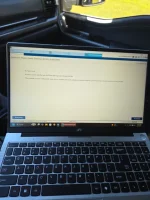
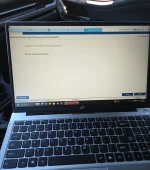
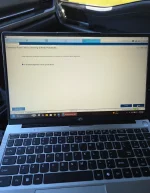
Here are my only options for each module.
 
The main issue right now is that FDRS is in Simulation mode, as seen in the top right corner of all three screenshots.

When FDRS is running a simulation rather than communicating live with the vehicle, it often hides dynamic calibrations and guided routines that require an active handshake with the truck's modules.

Here is what you need to do:

Connect Live: Hook up your VCM interface to the truck and ensure FDRS is actively communicating with the vehicle, not just running a cached VIN simulation.

Run EPAS Pulls/Drifts: Once connected live, navigate back to the PSCM menu. You have an option listed as "PSCM - Electronic Power Assist Steering (EPAS) Pulls/Drifts". It currently shows a "Download" button rather than a green "Run" button. You will need to download this routine from Ford's servers and execute it. On newer ETO steering systems, running the pull/drift compensation routine is what clears the learned straight-ahead position and zeroes out the steering angle offset.

Skip ABS and SCCM: Your screenshots confirm that the SCCM only contains basic configurations and software updates, and the ABS menu only houses the standard IVD Initialization Sequence that you already tried. Focus entirely on the EPAS routines within the live PSCM menu.
 
The main issue right now is that FDRS is in Simulation mode, as seen in the top right corner of all three screenshots.

When FDRS is running a simulation rather than communicating live with the vehicle, it often hides dynamic calibrations and guided routines that require an active handshake with the truck's modules.

Here is what you need to do:

Connect Live: Hook up your VCM interface to the truck and ensure FDRS is actively communicating with the vehicle, not just running a cached VIN simulation.

Run EPAS Pulls/Drifts: Once connected live, navigate back to the PSCM menu. You have an option listed as "PSCM - Electronic Power Assist Steering (EPAS) Pulls/Drifts". It currently shows a "Download" button rather than a green "Run" button. You will need to download this routine from Ford's servers and execute it. On newer ETO steering systems, running the pull/drift compensation routine is what clears the learned straight-ahead position and zeroes out the steering angle offset.

Skip ABS and SCCM: Your screenshots confirm that the SCCM only contains basic configurations and software updates, and the ABS menu only houses the standard IVD Initialization Sequence that you already tried. Focus entirely on the EPAS routines within the live PSCM menu.
I am connected to the truck now and not in simulation mode. Nothing was added or deleted with the calibration or guided routines.

I have ran the EPAS Pull/Drift routine but it has nothing for clearing the steering angle. It's just a series of questions that usually end with nothing is wrong.

Would you recommend doing an ABS module configuration to clear this?
 

Attachments

  • 20260929_110449.webp
    20260929_110449.webp
    141.9 KB · Views: 4
  • 20260929_110501.webp
    20260929_110501.webp
    130.4 KB · Views: 4
  • 20260929_110541.webp
    20260929_110541.webp
    130.8 KB · Views: 3
  • 20260929_110545.webp
    20260929_110545.webp
    136.1 KB · Views: 3
  • 20260929_110655.webp
    20260929_110655.webp
    129.3 KB · Views: 3
  • 20260929_110701.webp
    20260929_110701.webp
    113 KB · Views: 3
  • 20260929_110515.webp
    20260929_110515.webp
    142.5 KB · Views: 4
  • 20260929_110649.webp
    20260929_110649.webp
    131.9 KB · Views: 4
Last edited:
I am connected to the truck now and not in simulation mode. Nothing was added or deleted with the calibration or guided routines.

I have ran the EPAS Pull/Drift routine but it has nothing for clearing the steering angle. It's just a series of questions that usually end with nothing is wrong.

Would you recommend doing an ABS module configuration to clear this?
Running the ABS - Anti-Lock Brake System (ABS) Module Configuration acts as a factory reset. Since you are connected live, it will ping Ford's servers and reload the factory As-Built data into the module. This is generally safe to execute, but it will wipe all current learned values. If you run this configuration, you must re-run the IVD Initialization Sequence immediately afterward to establish a new baseline.

Before rewriting the ABS module, verify two things:

Mechanical Alignment (Drag Link): Super Duties use a solid front axle. To properly center the steering wheel, the alignment technician must adjust the drag link sleeve. If they incorrectly adjusted the tie rod ends instead to make the truck track straight, the steering gear (pinion) will be mechanically out of phase with the steering column sensor. This creates a physical degree mismatch that software cannot fix.

Self-Learning Drive Cycle: On 2023+ ETO steering systems, the angle sensor often calibrates dynamically. Take the truck for a drive on a straight, flat road above 20 mph for a mile or two to see if the system zeroes out the 21.6-degree offset on its own.

If you confirm the drag link was adjusted correctly and a drive cycle fails to clear the offset, proceed with the ABS Module Configuration followed by a fresh IVD reset.
 

Latest Discussions

Back
Top Bottom