Forscan for 2022

I know I don't have a Tremor, but I do have a 22 F-350. Please don't kick me out of here :)

Looking at this spreadsheet. I have a couple of questions.

With Global Close did you get it to work successfully? When I programmed it, I only get the driver side window to go up.

The adds average speed to trip/fuel. Where are you seeing this?

The engine and transmission temp above the gauges. Can you provide a screen shot? I am not getting this to work, and want to make sure what I am looking for.

Where is the DPF% on screen showing up?

Thanks,
20220109_120100.jpg


Here is the average speed, it's actually kinda pointless to me. I thought it would be part of the trip 1 & 2 but it's just a stand alone feature. This picture also shows Temps above gauges.

I haven't done the global close. I believe there are two numbers/letters to change to get them all to work.
 
Last edited:
Hey All, ready to dive in and make my first change to my 22 SD 7.3. First thing I want to change is add the temp above the gauges.
My AS Built info shows below. I've read through alot of this forum and if i understand correctly I just change the middle value below to 0A50 ? The last 4 is the checksum so it will be calculated automatically? Thanks!

720-07-01 8401 0AA0 0866
 
View attachment 43504

Here is the average speed, it's actually kinda pointless to me. I thought it would be part of the trip a & b but it's just a stand alone feature. This picture also shows Temps above gauges.

I haven't done the global close. I believe there are two numbers/letters to change to get them all to work.
Here is what I found for global open/close with comments in bold relative to my As-Built. I haven't tried it though so proceed with caution.

BCM 726-11-02 xx** xxxx xx-- GlobalClose: 00=Disable 01=Remote (Mine is already at "01")
BCM 726-11-02 xxxx **xx xx-- GlobalClose_Mode_Cfg: 00=Press_N_Hold 01=Single_Press (Not sure here... mine is at "00")
BCM 726-11-02 xxxx xx** xx-- GlobalOpen: 00=Disable 01=Remote (I would change mine to "01")
IPC 720-02-01 *xxx xxxx xx-- Global Window Open (GWO) • Global Window Close (GWC) (I would change mine from 6 to 7)
 
2 questions for 2022.

Has anyone determined if it is possible for the usb-c ports in the front cubby to be active after shutdown? I know the 12v ports can be modified, but haven’t seen any mention of the ones in the cubby.

Has anyone got a voltage display up and running through forscan on a 22?

Thanks
 
Has anyone got a voltage display up and running through forscan on a 22?
I was looking into this at one point and tbh don't recall what I found! I will go back and check - was consumed with some other projects.

On a side note our Bronco has temps and voltage, no Forscan necessary:

PXL_20220105_182706811.webp
 
I was looking into this at one point and tbh don't recall what I found! I will go back and check - was consumed with some other projects.

On a side note our Bronco has temps and voltage, no Forscan necessary:

View attachment 43535

@Avslash this is what I am going to try for battery voltage:

720-06-01 xx*x xxxx xx--

Mine is currently set to "0" and I will try changing to "2" to enable the Battery Voltage Display. No promises as this may only be functional in the newer displays (F150, Bronco, etc). I will try it in the next day or so.
 
@torino420 can you take a picture of your IPC As-Built screen from Forscan showing that memory address please?

I just searched the Forscan forum and this has come up a few times. Do you have push button start? If so be sure the ignition is on. You can start the vehicle too if you want.

Another option to try is to choose "No" when it asks to load an existing profile.
 
Last edited:
will do, won't have a chance until later today. Thank You!
Thanks. I edited my last post with a few other things to try. One issue with some OBD adapters is they tell you to hit the ignition button twice (OBD EX says this I believe) which isn't necessary. Once is all you need with our vehicles.
 
One more thing - what OBD adapter are you using? Is it wired or Bluetooth? It almost seems like you may not have a consistent communication link by the "service interrupted" error.

Here are some consolidated troubleshooting tips before you try to write the change again:
1) Ensure you have downloaded the latest version of Forscan (2.3.44 is the latest for Windows)
2) Use a wired OBD adapter
3) Do you have push button start? If so be sure the ignition is on. You can start the vehicle too if you want.
4) Choose "No" when it asks to load an existing profile
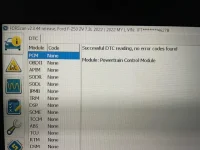
5) Check for any DTCs and make sure those are cleared

That should take care of any obvious issues. If you are still getting the error we will have to dig deeper!
 
Last edited:
One more thing - what OBD adapter are you using? Is it wired or Bluetooth? It almost seems like you may not have a consistent communication link by the "service interrupted" error.

Here are some consolidated troubleshooting tips before you try to write the change again:
1) Ensure you have downloaded the latest version of Forscan (2.3.44 is the latest for Windows)
2) Use a wired OBD adapter
3) Do you have push button start? If so be sure the ignition is on. You can start the vehicle too if you want.
4) Choose "No" when it asks to load an existing profile
5) Check for any DTCs and make sure those are cleared

That should take care of any obvious issues. If you are still getting the error we will have to dig deeper!
1) I was on .43, upgraded to .44 just before today's test.
2) I am using a wired OBD adapter ( no switch )
3) Yes, engine was running first time. Adapter says for push button start vehicles, press the button twice. I couldn't connect so started for todays test.
4) Chose NO
5) No DTC.s
6) same issue today
 

Attachments

  • tracuk2.webp
    tracuk2.webp
    65.8 KB · Views: 48
  • Truck.webp
    Truck.webp
    52 KB · Views: 52
Adapter says for push button start vehicles, press the button twice
Yeah, for ours you only need to push it once... Thanks for the response - those were the obvious things that sometimes cause issues.

Ok, a couple more things I thought of:
1) If you plug the adapter into the laptop but not the obd port it should check for any driver updates. The OBD EX will turn it's led red if there are updates required. Just something else to rule out
2) I would try a different simple change in another module and see if that works
3) If #2 works try another one in the IPC module
4) If #2 doesn't work there is most likely something going on with your adapter
5) if #2 works and #3 doesn't work, the IPC may need to be reflashed which can be done in forscan.

Hopefully that makes sense.

Another solution is to pull the battery cable(s) which should act to reset the modules as well.

@MiTremor906 has a good list of plain English changes that would be good to try. Pick one of the BdyCM features and if that works try one of the other IPC features. Here is his list:

Post in thread 'Forscan for 2022' https://www.fordtremor.com/threads/forscan-for-2022.5886/post-165882
 
Last edited:
Made a couple of Forscan changes tonight. Seriously, this thread is amazing. While I only had to directly reference the spreadsheet at the beginning, following along with this thread gave me lots of extra confidence. Appreciate it, y'all!

Did want to call out a small hiccup in case it helps anyone. I went to change a setting in the SCCM (specifically the minimum number of turn signal flashes) and Forscan wasn't showing the module. I was already updated to the latest version. The fix was simple: start with a fresh profile rather than loading my saved one. SCCM showed up immediately after that. :)

Full details on my changes in my build thread:

 
start with a fresh profile rather than loading my saved one
Yes! I had to do the same when adding the heated wheel module so it would be recognized.
 
Back
Top Bottom