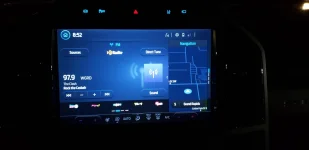
Full Screen CarPlay is here for Sync4 in my SD!

Mine was doing the same and was downloading for about two and a half weeks and then new update available symbol went away but still has the same look. Not sure if it takes a while to install once the download is complete or if something went wrong with the downloads.
Mine is the exact same. Now says I’m up to date when I check but no full screen car play. I’d like the update but I think I would hate it if mine was a bugged version.
I guess I’ll wait patiently.

 
Just got my update for the full screen car play and built in Alexa today automatically installed. (Not a work around)
 
Looks like my update installed but now my screen is not formatted right.
image.webp
nothing fits in the screen properly. It’s all cut off on the edges like it’s the wrong resolution now
 
I wonder if all of us waiting for the update with 22’ Super Duties have yet to do the Deep Sleep fix at the dealer. It would make sense if our trucks are in a low power mode that it wouldn’t download when sitting in our driveways…
 
I wonder if all of us waiting for the update with 22’ Super Duties have yet to do the Deep Sleep fix at the dealer. It would make sense if our trucks are in a low power mode that it wouldn’t download when sitting in our driveways…
I've been wondering this exact thing. Especially those of us who don't have Ford Pass hooked up, so we can't get the notification that the truck has gone into deep sleep. My understanding is that's how most folks were finding out they had the issue.
 
My truck is always in deep sleep. As soon as I close the doors I get the notification.
 
My truck is always in deep sleep. As soon as I close the doors I get the notification.
Well damn. That's annoying.

Anyone know if the deep sleep bug can be identified without Ford Pass?
 
I have never gotten that notification, is that good or bad?
 
Well damn. That's annoying.

Anyone know if the deep sleep bug can be identified without Ford Pass?
I haven't had it so just a guess, but would remote start not work?
 
I have FordPass and have never received a deep sleep notification. No Sync4 update either and I've been connected to WiFi pretty much 18+ hours/day for months.
 
Looks like my update installed but now my screen is not formatted right. View attachment 115845nothing fits in the screen properly. It’s all cut off on the edges like it’s the wrong resolution now
Never played with mine before I enable Real Engine & climate bar so I can't really say if it looked like that or not. Looks good with everything enabled.
 

Attachments

  • 20230320_205229.webp
    20230320_205229.webp
    40.7 KB · Views: 118
I haven't had it so just a guess, but would remote start not work?
So I didn't say it yet, but you touched on something that's been bugging me. Sometimes when I go to remote start my truck it doesn't work the first try, only the second.

My suspicion is that the first time I hit the lock button it wakes the truck up from deep sleep but doesn't actually register as a lock button press. I then proceed to double-tap remote start but it fails since it wasn't preceded by a lock button press.

When I do it again, the truck is now awake so it works without issue. The lock button press is registered as an actual lock button press.

That is entirely speculation, though, beyond the fact it sometimes doesn't work the first time.
The truck will not start during deep sleep if using the app.
 
The truck will not start during deep sleep if using the app.
im pretty sure it wont with the remote either? id have to test that. for the record, my truck has to sit for 2 weeks before it will go into deep sleep.
 
FWIW… I have never gotten the deep sleep message and no signs of getting the update either. Nov 2021 build date.
I’m in the same boat…slightly earlier build, I took delivery of my ‘22 in September ‘21. No deep sleep messages, have had a couple issues with remote start from the app, but no signs of an update. No messages about it in the app and the truck says everything is up to date.
 
I’m in the same boat…slightly earlier build, I took delivery of my ‘22 in September ‘21. No deep sleep messages, have had a couple issues with remote start from the app, but no signs of an update. No messages about it in the app and the truck says everything is up to date.
My build date is Nov/Dec '21. I've been wondering if it's the earlier build that aren't getting the update, maybe due to "older" electronics that may not be compatible.
 
My build date is Nov/Dec '21. I've been wondering if it's the earlier build that aren't getting the update, maybe due to "older" electronics that may not be compatible.
mine was built in august of 21 and got the update(my GWM updated on its own), I used FDRS to do the APIM
 
Back
Top Bottom