Full Screen CarPlay is here for Sync4 in my SD!

Still nothing here. Looking for a little advice from you guys. My truck only has one bar when parked in the garage. It’s fairly far from where the router is in our house. Am I better off turning the Wi-Fi off and leaning on the cell coverage (which is good in my area) to push it through when the time comes?

Thanks in advance!
 
I always disable Alexa. My daughters name is alexis. It got very aggravated Every time we called her name in the house Alexa would ask questions. I’m not going through the same shit in my truck. Lol.
You know you can change the activation word, right? Few choices though: Alexa, Amazon, Computer, Echo, Ziggy.
 
Just curious, yours went OTA, have you went to the dealer to see if they can force it through?

I did mine using a borrowed mongoose cable I never went the OTA root cause well…. I’m impatient AF
Yes mine was OTA, I do not use the nav other than having the map image up (maybe because I don’t have the nav subscription anymore is the reason) but next free oil change is in a couple miles so I’ll bring it up along with a few other minor things. Hopefully they can fix it or re downloaded it or something.
 
I turned my auto update on today - my truck delivered 12-21 - still on 21136 - version 164 - old school for sure! I then went to wifi and logged into my home wifi so that is hooked up. Set it to get updates Saturday at Midnight - so we shall see what happens to mine.
 
I’m new to the forum but I’ve been watching this thread for a while behind the scenes. I had the update icon in the top right of the screen for about a week and a half now. Now it’s gone, nothing has updated and when I check for updates it says something like “you are up to date”
Wondering if my update got pulled or something? Or if my truck downloaded the update already and just needs time for install?
Any help would be great!
Thanks
 
Wonder why this process is so hit and miss and not standardized? Poor process.
 
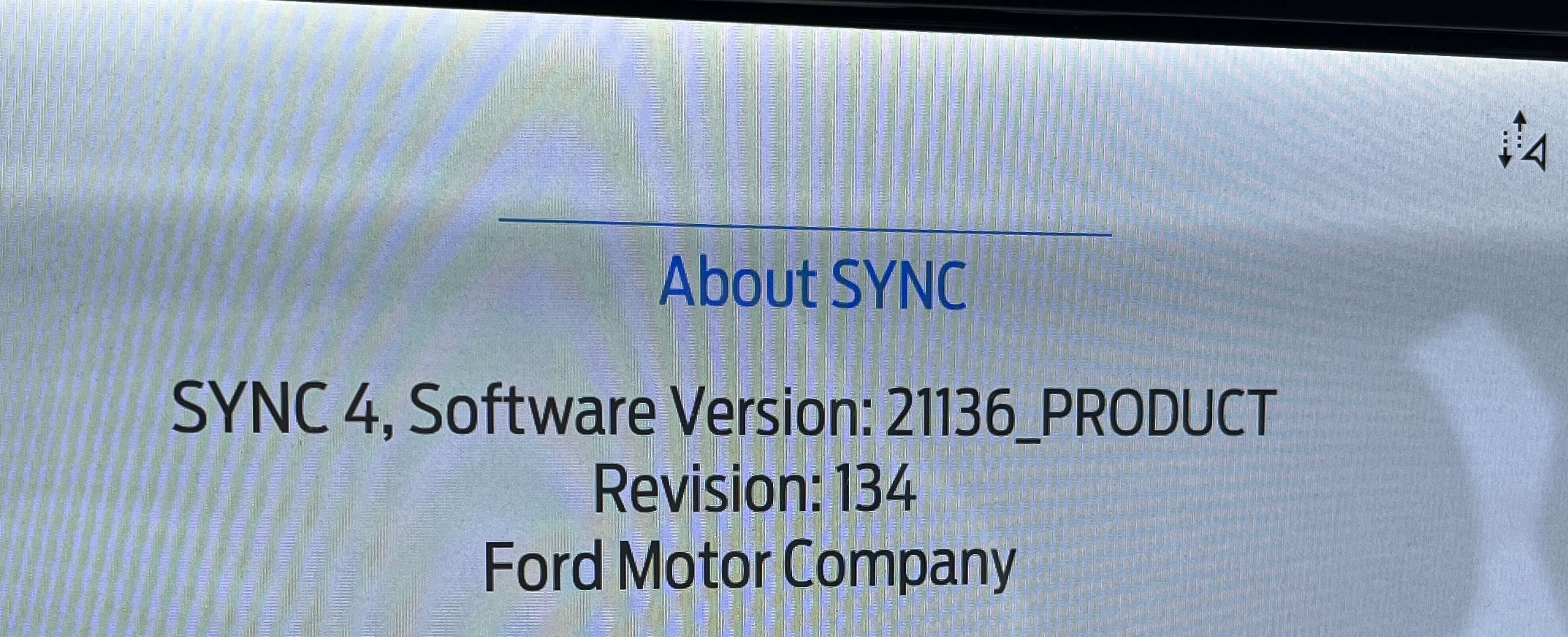
@JHForman812 Here's my current Sync version. Not sure if this is bad or not.

h4UOuUs.jpg
 
Mine finally finished today. Had the icon come & go for about two weeks. Turned off my wifi on Fri to see if it made a difference, not sure if it did. Enabled real engine & hvac controls. Real engine is work8ng but hvac controls haven't come up yet. Figured I would give it a few more cycles before I dig into it.
 
I’m new to the forum but I’ve been watching this thread for a while behind the scenes. I had the update icon in the top right of the screen for about a week and a half now. Now it’s gone, nothing has updated and when I check for updates it says something like “you are up to date”
Wondering if my update got pulled or something? Or if my truck downloaded the update already and just needs time for install?
Any help would be great!
Thanks
I’d caution folks. Just because you can’t discern a rhyme or reason doesn’t mean there isn’t one.
 
That’s still the old version. I think that’s the exact version my 22 arrived with.
575AE4B2-2098-4D29-BCDC-3D9FD2FC726F.webp


This is the one on my 2022, built October. I have had the power up update but not sure if that changes the original version??
 
@JHForman812 Here's my current Sync version. Not sure if this is bad or not.

h4UOuUs.jpg
Same one I have - looks like 22026 - 610 is the latest posted up here so far. I think we have late 2021 or early 2022 software.

Mine did not update overnight and would not update now today. Now that I have "auto update" turned on - hopefully it will - it not next time at dealer will see if they can get it done.
 
Mine finally finished today. Had the icon come & go for about two weeks. Turned off my wifi on Fri to see if it made a difference, not sure if it did. Enabled real engine & hvac controls. Real engine is work8ng but hvac controls haven't come up yet. Figured I would give it a few more cycles before I dig into it.
You need to perform a reset on the module for the controlla to show up.
 
I received the update today and went ahead and made some forscan changes to enable the unreal engine, 75th anniversary splash screen and climate control buttons on the screen. Everything seems to be great aside from an annoyingly bright white stripe across the bottom of the navigation when in the "home" screen. Even worse yet there's a white bar across the top and bottom of the nav when in full navigation mode. It also shows up with a white bar across the bottom of the screen when navigation is pulled up on the pages on the right side (Not Pictured).

has anyone else experienced this? it is super annoying when it is dark, plus it obstructs the view of the time and stuff at the top of the screen.
Mine is doing this. Did yours ever clear up? Mine was fine after the update and I believe fine after the splash screen and real engine update. I believe this happened after I enabled the climate bar which hasn't showed up yet so I am wondering if that is what is causing it. I will prob try a module reset tonight to see if the climate bar shows up and this goes away.
 
Mine is doing this. Did yours ever clear up? Mine was fine after the update and I believe fine after the splash screen and real engine update. I believe this happened after I enabled the climate bar which hasn't showed up yet so I am wondering if that is what is causing it. I will prob try a module reset tonight to see if the climate bar shows up and this goes away.
Hook up forscan, go to the wrench icon, do a forced module reset on the APIM
 
Back
Top Bottom