-
Featured
- #181
Is it that you don't need the external mic or you don't need to leverage the OEM mic because they include the external one. Ideally I wouldn't want to add another microphone if I can avoid itYou don't need it.
Follow along with the video below to see how to install our site as a web app on your home screen.
Note: This feature may not be available in some browsers.
Is it that you don't need the external mic or you don't need to leverage the OEM mic because they include the external one. Ideally I wouldn't want to add another microphone if I can avoid itYou don't need it.
I asked Autotec this question because I run a Nav TV module for my aftermarket stereo this was their response:Would this screen still work with my Nav TV module ..??
You don't need the external mic.Is it that you don't need the external mic or you don't need to leverage the OEM mic because they include the external one. Ideally I wouldn't want to add another microphone if I can avoid it

Make sure your phone is not paired with the Ford Bluetooth system - only the AutoTec system. I had issues with the steering wheel controls acting strange, and removing the pairing from the Ford system fixed itI have a strange issue with this Autotec unit. When listening to music from my iphone, I use the steering wheel control to skip to the next song. I get a very quick audio blip of what sounds like a radio station with people talking. It's just a split second, then my next song starts. It's only when using this steering wheel control, not when I click on the touchscreen unit. Anyone else?
I did that and it still has that glitch. Bizarre.Make sure your phone is not paired with the Ford Bluetooth system - only the AutoTec system. I had issues with the steering wheel controls acting strange, and removing the pairing from the Ford system fixed it
Hmmm seems like it would HAVE to be the wiring. Unless there is a setting on the Android, but I don't know anything about Android. You should note that there are 2-3 different areas with "settings" available on this unit, and all are very different.I ended up purchasing this unit and installed it last night. I seem to have everything working except one item. The sound through the Sync console works perfectly, it comes out of all the speakers. However, the sound from the tablet (when the sync console is not running) only comes out of the tablet. I was looking at the thread and saw something about the wiring in the back, I checked it and I have it installed correctly. Is there a setting that will allow the tablet sound to come out of the truck speakers?

I just installed mine into my 2019 F250 this weekend.....and am historically an Apple guy. I know nothing about how to customize using the android-based system. I can't even figure out (in the short time I've had), how to modify the home screen like you have with custom backgrounds....is this an app you use to do this or is there an android for dummies guideAnyone with a 21 and under without sync 4 don't think twice. The unit retains all the factory options and adds alot of features. I was on the fence about all these units until I found the Autotec, it's snappy and faster responding than the stock unit. Absolutely awesome.
View attachment 118080
 ?
?
I just installed mine into my 2019 F250 this weekend.....and am historically an Apple guy. I know nothing about how to customize using the android-based system. I can't even figure out (in the short time I've had), how to modify the home screen like you have with custom backgrounds....is this an app you use to do this or is there an android for dummies guide

There's an even less expensive one now.Is this the same unit as the Autotec? I have been watching this thread closely but haven't quite pulled the trigger yet because of the price. At $624.74 from the link below I just might do it, but do like what I hear about the support from Autotec. I am just not sure it is worth $450 more for support.
I installed mine a few months ago and I was in the exact same boat. The Android stuff was really foreign to me. I think I used the Nova Launcher and maybe learned from youtube. I basically copied a template from someone else, maybe on this forum, I can't remember.I just installed mine into my 2019 F250 this weekend.....and am historically an Apple guy. I know nothing about how to customize using the android-based system. I can't even figure out (in the short time I've had), how to modify the home screen like you have with custom backgrounds....is this an app you use to do this or is there an android for dummies guide
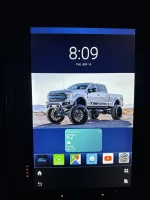

I have to ask, but can we do more than volume and skip with steering wheel buttons in car play? That's all I use them for and then I fingerprint it to death using the meathooksI bought the 12“ version. I liked the look and the large screen, but functionality was lacking. CarPlay didn’t work with the steering wheel buttons consistently. I found myself rebooting it too often to work around issues.
The biggest problem was the orientation of the screen made it disappear when using polarized sunglasses. Thus was a dealbreaker for. My wife, so I pulled it out and put the Ford system back.

I bought the 12“ version. I liked the look and the large screen, but functionality was lacking. CarPlay didn’t work with the steering wheel buttons consistently. I found myself rebooting it too often to work around issues.
The biggest problem was the orientation of the screen made it disappear when using polarized sunglasses. Thus was a dealbreaker for. My wife, so I pulled it out and put the Ford system back.
![What did you do to your Tremor today? [2025 edition]](https://www.fordtremor.com/data/files/featured_images/featuredimages_thumb_1.webp?1790289780)


![What did you do to your Tremor today? [2019-2024]](https://www.fordtremor.com/data/files/featured_images/featuredimages_thumb_4.webp?1790289781)
![What did you do to your Tremor today? [2019-2024]](https://www.fordtremor.com/data/files/featured_images/featuredimages_thumb_5.webp?1790289781)