-
Featured
- #521




Looks like the Waze app for iPhone.What map option is that?
Follow along with the video below to see how to install our site as a web app on your home screen.
Note: This feature may not be available in some browsers.
Looks like the Waze app for iPhone.What map option is that?

Well my truck had the download icon many times and the blank details screen. Did this several times. I had a weak home wifi to the truck so I shut that off and gave up on update. Didn’t get the icon and blank screen after that. Last night I realized my headlights were off and not in auto probably all week, no icon. Put headlights back in auto. Truck sat in street last night with a trailer attached and this morning I wake up to Ford pass saying I have been updated to 3.5.3.
I thought I already had that update the first week I had truck so I have no idea what I have until I start the truck. I would say the headlight off and parking break set is not accurate. I think Ford and Ring are in the same boat both always saying they have an update and it shows up randomly or not all. My thought is they found bugs and slowed the update release but didn’t say anything.
Are you on your home wifi? My router I can see what connects to it and how much it downloads. You might be able to look at that and see how many MB your truck is pulling. I think you’re getting the update, just in chunksUpdate: ‘Automatic Updates’ switch disabled itself again and ‘Schedule Updates’ screen cleared out with dashes again.
Downloading icon is back again.
Seems to be that’s the normal behavior it does when there’s a pending update.


yep that’s it. Im on revision 610 I believe.I’m going to ask a dumb question. How do you know what rev number your sync is? Can I tell from this screen?
Edit: assuming I still have the 3.5.3 since I’m still waiting on the update. Does revision 134 confirm that?
View attachment 119171
Thanks! I’ll keep an eye on that number.yep that’s it. Im on revision 610 I believe.

I think the truck is capable of waking up in the middle of the night to download, and install, a large file via WiFi, so what you're seeing may be 'normal'.Don't know why I never checked this before, but my truck is only connected to my home WiFi network when the engine (or accessory) is on. I checked this by logging in to my router and looking at the connected devices. The truck only shows up when it's "on".
Not sure what the point of a WiFi connection is if it's only functional while the engine is running, which is about 30 seconds when I leave the house or get home.
Would love to know what others are seeing for connectivity in their garage/driveway.
Hope you're correct!I think the truck is capable of waking up in the middle of the night to download, and install, a large file via WiFi, so what you're seeing may be 'normal'.


I agree. Not offering a USB option for Sync 4 was an idiotic decision.I dont think its a bug issue, I think its a Ford doesnt know how to do OTA issue. my Iphone gets OTAs on the regular. Ford dropped the ball on how they handled this. Apple has pros working on their OTA and ford has the barely out of college graduated with a C- working on their team.
Another data point:Don't know why I never checked this before, but my truck is only connected to my home WiFi network when the engine (or accessory) is on. I checked this by logging in to my router and looking at the connected devices. The truck only shows up when it's "on".
Not sure what the point of a WiFi connection is if it's only functional while the engine is running, which is about 30 seconds when I leave the house or get home.
Would love to know what others are seeing for connectivity in their garage/driveway.

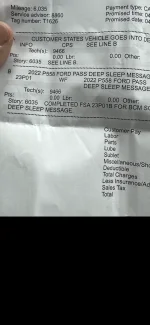
yes the GWM update 3.5.2 has to come first if you dont have that youre not gonna get the APIM update. if you can get your dealer to do it, they have to do the GWM first or FDRS will not show an APIM update available.