-
Featured
- #421
Preconditions seems crazy. I've received other updates and my truck doesn't have the parking brake set, nor headlights off, etc.
Follow along with the video below to see how to install our site as a web app on your home screen.
Note: This feature may not be available in some browsers.

And Ford could have solved all this by giving Sync 4 the option of OTA or USB update.So i also called this number. Thanks for sharing the info!
I got the same information:
Headlights turned from Auto to Off
Emergency Brake On
Car Turned off and not moving
All doors shut
Heres the thing - beyond the fact that 90% of us probably park with headlights on auto and no emergency brake on most of the time (who decided these "pre-conditions?!?!") I still think there is something wrong that they are not admitting. I never use my parking brake unless I have a trailer on or am on a steep hill, and i have surely never turned my auto headlights off, yet I still received the last update no problem. But this one the rep could confirm has tried 2 separate times and failed, under the same conditions that i got the first update? Beyond that, the two updates that were attempted were over 25 days apart? Even with my auto update on it only tried twice but waited over 3 weeks in between?
The whole thing seems very odd to me and i feel like its broken on fords end and they call center is just making stuff up as they try and fix it.
Next time it will be "tire pressure has to be exactly 62.5 PSI in the front, and 71.2 PSI in the back, and your windows have to be cracked exactly 4.21 inches on the front and then you might receive your update."

Next time it will be "tire pressure has to be exactly 62.5 PSI in the front, and 71.2 PSI in the back, and your windows have to be cracked exactly 4.21 inches on the front and then you might receive your update."


This this this this this this this this this this.And Ford could have solved all this by giving Sync 4 the option of OTA or USB update.


Call volume at the Ford OTA is probably about 4000% higher today due to this post and many inquiring minds LOL. Ladies are probably conversing wondering what the hell is going on.Well, I just talked to two very nice ladies at Ford.

Add to the list of preconditions. I just called the number and was told that in addition to the items previously mentioned, the woman I spoke with did not mention the parking brake, the truck must also have at least 90% fuel and be parked for a minimum of 24 hours. My truck is a daily driver so it’s rarely parked for more than 12.Thanks for this. I just got off the call with Ford and was told a few interesting things.
The first is that your vehicle and FordPass can get out of sync and this can affect downloads. The way I noticed was the scheduled update time in the truck was not the same as in the app. The way to resolve this is under General Settings, do a FordPass Reset. Do NOT do a Master Reset. Once the truck has been disconnected from your account, log back into your FordPass account and reactivate your truck. Then restart your FordPass app and you should see the truck has resyncronized.
The other thing the rep told me was that Ford has learned of a few pre-conditions that are necessary for your truck to successfully update:
1. Parking brake must be set
2. Doors must be closed
3. Headlight switch needs to be switched to OFF (not Auto)
4. Update time cannot be 12:00AM. This is a known bug in the software.
I guess I will find out over the next couple of days if this all makes a difference, but I thought I would share.

At this point being told it needs to be in a 10 degree temperature range, a full moon, and a leap year wouldn’t be surprising.Add to the list of preconditions. I just called the number and was told that in addition to the items previously mentioned, the woman I spoke with did not mention the parking brake, the truck must also have at least 90% fuel and be parked for a minimum of 24 hours. My truck is a daily driver so it’s rarely parked for more than 12.
*edited for grammar

No kidding. Still waiting for my update. This is almost becoming comical with these conditions that need to be met prior to updates.At this point being told it needs to be in a 10 degree temperature range, a full moon, and a leap year wouldn’t be surprising.

At this point I think these ladies are just messing with us.Add to the list of preconditions. I just called the number and was told that in addition to the items previously mentioned, the woman I spoke with did not mention the parking brake, the truck must also have at least 90% fuel and be parked for a minimum of 24 hours. My truck is a daily driver so it’s rarely parked for more than 12.
*edited for grammar


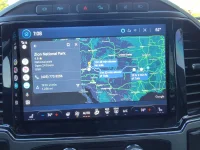
So apparently Ford wants you to KIP (Keep It Parked) when using the factory NAV.For those that are having the KIP error after the update, I can confirm that resetting the NAV IN MOTION back to factory does indeed solve the KIP error.


Dude you read my mind and I was just getting ready to quote him. Treat it like the autozone rental tool program!Can we set up a Tremor Mongoose borrowing program? Don't really want to drop $500 plus on a dongle.
I would be happy to spend $50 to borrow a cable rather than $600 to buy it.Can we set up a Tremor Mongoose borrowing program? Don't really want to drop $500 plus on a dongle.
You must not rent specialty tools lol. You pay full price, once returned in good condition the full price is returned. But at the same time he could rent it out 50 a pop non refundable and maybe pay for his purchase, and make some money to boot. Beyond using FDRS this mongoose cable is just gonna be sitting on his shelf most likelyI would be happy to spend $50 to borrow a cable rather than $600 to buy it.